Improve Manufacturing Automation by Prioritizing Operators, Maintenance and Simplicity
Key Highlights
- Ask why a process needs automation before designing the motion or adding components to ensure the solution addresses the real problem.
- Design with the operator in mind, considering ergonomics, accessibility and ease of maintenance to improve overall system usability.
- Involve maintenance and operators early in the design process to identify potential issues and improve accessibility for repairs and adjustments.
- Use standard components whenever possible to simplify maintenance, reduce costs and ensure long-term support.
- Incorporate controlled adjustments and flexibility into designs to accommodate product and process variations without excessive complexity.
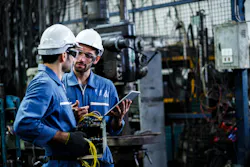
Automation can be incredibly smart and still be a pain to live with.
I have spent roughly 30 years designing manufacturing equipment, including ergonomic lift-assist systems, material-handling equipment and end-of-arm tooling. Over that time, automation has obviously become more capable. Better sensors, controls, robotics, actuators and software let us do things that would have been much harder years ago.
I am all for using that technology. But I still come back to some pretty basic questions:
- Can the operator use it without fighting it?
- Can maintenance reach the cylinders, sensors or fittings?
- Can somebody replace the components after the rest of the machine is assembled around them?
- If the product changes, can the equipment adjust?
- And maybe the biggest question: Are we automating the right problem?
Those questions are part of what I call the Toolie mindset. To me, automation still needs common sense around it.
Start with the problem, not the technology
There is a temptation with automation to start thinking about how to make something move before asking why it needs to move in the first place. Maybe a part needs to be picked up, rotated, repositioned and then loaded into the next operation.
We can automate all of that. We can add an actuator. We can add another axis. We can add sensors or more controls. We can make that happen. But before I start designing all that motion, I want to ask why that product needs to be rotated.
Is that truly part of the process? Or is the product coming into the station facing the wrong direction? Could the dunnage be changed? Could the previous operation leave the part in a better orientation? Could the tooling grip it differently?
There may be a perfectly good reason for the automation. Sometimes the rotation or repositioning really is required. But I want to know that before we build an automated solution around a problem that might have been easier to remove somewhere else.
That is a big part of the Toolie mindset. Do not just solve the problem in front of you. Back up and make sure it needs to be a problem.
The operator is still part of the system
Automation does not always mean removing the operator completely. In a lot of manufacturing equipment, the person and the machine are working together. That means the operator needs to be treated as part of the overall design.
Where are their hands? Where are they standing? How are they approaching the equipment? Are they reaching around something? Are they having to change their grip as they are doing it? Are we making them rotate or reposition something every cycle because that was easier for the tooling?
One bad motion may not look like much when you watch one cycle. But then the operator does it over and over for an entire shift.
That right there changes the conversation.
A machine may perform its automatic sequence perfectly and still create a lousy process for the person working beside it. The automation is only one piece of the system.
Somebody is eventually going to fix it
One of the easiest mistakes to make is designing for installation day. Everything is new. Everything works. Everybody is happy. Now jump ahead a few years.
A sensor gets damaged. A fitting starts leaking. A cylinder needs to come out. A bearing wears. A switch needs adjustment. Now what? Did we think about it? Can somebody get to it?
That is where the design can go from impressive to frustrating very quickly. A component can fit perfectly inside a CAD assembly and still be in a terrible place when somebody has to put a wrench on it.
I like to stop during design reviews and pretend I am the maintenance person instead of the designer. What is most likely to need attention? Can I see it? Can I reach it? Can I get a tool on it? If I remove the fasteners, is there actually room to get the component out?
Being able to unbolt something and being able to remove it are not always the same thing.
Mechanical and controls cannot ignore each other
Automation lives at the intersection of different disciplines. Mechanically, a sensor may fit. Electrically, it may work perfectly. But can it be adjusted? Can somebody see its indicator? Is the cable routing protected? Can it be replaced?
The same applies to pneumatic components. The cylinders may have the right bore and stroke. Great. Where are the ports? Where do the fittings go? Can maintenance get a wrench on them? Can the tubing be routed cleanly? What happens when air pressure is removed? None of those questions is strictly mechanical or strictly controls. They belong to the system.
That is why I think the best equipment comes from people talking to each other early in the process.
Standard components make life easier later
I like standard components whenever they make sense. That does not mean everything should come from a catalog. Custom equipment requires custom parts. But I do not want to create a special component just because I can.
If a standard cylinder, bearing, clamp, sensor, switch or other purchased component performs the job correctly, there is real value in using it. Replacement becomes easier. Documentation is available. The next designer can identify it.
Maintenance has a better chance of finding another one years later. Every custom part is something else that has to be supported for the life of the equipment. Sometimes that is necessary. Sometimes it is not. I want complexity to earn its way into the design.
Real equipment needs adjustment
CAD likes everything exact. Manufacturing plants are not exact. Parts vary. Weldments move. Existing equipment gets modified. Products change. Processes change. Operators change. If an automated system only works when everything in the real world matches the CAD model perfectly, I get nervous. That does not mean I want adjustment everywhere. Too much adjustment can be just as bad.
What I want is controlled adjustment where variation is likely. Give the builder or maintenance person what they need to deal with reality without giving them enough freedom to create another problem. Sometimes one slot, shim location or adjustable stop can save hours of fieldwork.
Make the machine understandable
I also think equipment should make sense when you look at it. If a clamp is locked, it should be pretty obvious that it is locked. If something is supposed to move, the motion should make sense. If there is an adjustment, somebody should be able to understand what that adjustment changes.
Automation can become complicated very quickly. There are times when that complexity is unavoidable. But I do not want the mechanical portion of the machine adding mystery just for the sake of being clever. A mechanism that only makes sense when the original designer is standing there explaining it is definitely not my favorite kind of design. The equipment is probably going to outlive the project team. Design with that in mind.
What happens when something changes?
The first product is not always the last product. Manufacturers change models. Parts get revised. Volumes change. Processes move. A machine designed around one perfectly fixed condition may become difficult to reuse later. I am not suggesting we try to predict every future product. That can create unnecessary complexity too. But when there is an obvious place where reasonable flexibility can be designed in without hurting the original function, it is worth considering.
A controlled adjustment or replaceable contact point today may prevent a complete redesign later. Again, it comes back to asking a simple question: What happens next? Not just during the ten seconds in the automatic cycle. What happens next year?
Bring the people downstream into the conversation
Some of the best feedback on an automated system comes from people who were not involved in designing it. The builder sees assembly problems. Controls sees sensor and sequence problems. The operator sees unnecessary motions. Maintenance sees service problems. The installer sees what the actual plant looks like compared with the information engineering received. They are not criticizing the design by pointing those things out. They are finishing the picture.
I would much rather hear, “How are we going to reach that?” while the machine is still on my monitor than after it is standing on the plant floor.
CAD changes are cheap. Field changes usually are not.
The Toolie mindset around automation
I am not interested in making automation less advanced. I want technology to solve problems without creating unnecessary problems around it. So I keep asking basic questions. What does this do? Why is it here? Does this motion actually need to happen? Can the operator use it without fighting it? Can somebody maintain it? Can they get tools on it? Can we use standard components? Can the system handle reasonable variation? What happens if the product changes? What happens when something eventually fails?
Those questions are not anti-automation. To me, they are part of good automation. Use sensors. Use controls. Use robotics, pneumatics, servos and whatever technology makes sense for the job. But do not forget about the people and the process around the technology. That is the Toolie mindset.
Common sense first. Complexity second.
About the Author
 Michael Miller
Michael Miller
Michael Miller is a senior mechanical designer at Knight Global in Michigan with roughly 30 years of practical mechanical-design experience, including ergonomic lift-assist systems, material-handling equipment and end-of-arm tooling. He describes his practical, build-and-service-focused approach as the Toolie mindset, emphasizing common sense, simplicity, serviceability and designing equipment around the people who ultimately have to build, operate and maintain it.
 Leaders Logo
Leaders relevant to this article: