A System Integrator’s View of a Legacy Vision System Upgrade
Key Highlights
- VS Creator's full simulation capability enabled nearly a month of development and testing with historical images before the physical hardware arrived.
- The camera's calibration tools corrected dramatic image tilt and scale issues caused by different working distances and conveyor positioning variations.
- While SVG overlay exports required workarounds for the HMI, PLC communication was seamless using Keyence's provided files and configuration tools.

Upgrading legacy vision systems often reveals just how much tribal knowledge and custom code are quietly holding a process together. In this application, a long-running VB.NET vision system used to measure the height and thickness of painted parts had begun dropping individual solutions and was increasingly difficult to support. When the customer planned to upgrade their PC to Windows 11 for security purposes, the project reached a breaking point. The older .NET framework was no longer supported, and the custom program had become fragile, undocumented and hard to troubleshoot.
We replaced the custom camera body, lens and software with an out-of-the-box system from Keyence. The functionality previously handled by VB.NET was now split between the existing PLC and a new VS-L1500MX smart camera. Programming was done in VS Creator 1.6.
Overview of the VS-Series platform and its integration
The Keyence VS Series is a line of machine-vision cameras with onboard AI tools for part identification, ORC, counting and more. Options include short and standard range lenses as well as a C-mount version. For this project, I used a standard-range, monochromatic 15 MP model with no add-on lighting.
The camera supports 24V DC or PoE (power over Ethernet) and provides six hardwired I/O points, making it suitable for standalone inspection stations with simple trigger inputs and basic pass/fail signaling.
During this project, VS Creator provided a robust environment for programming, debugging and testing. Because all processing happens onboard the camera, no secondary controller is required.
VS Creator also includes an I/O monitor and a timing chart, which is useful for reviewing internal status bits, triggers and outputs after stopping data capture — they are not reviewable in real time.
Our system included a Rockwell Automation Compact GuardLogix PLC along with the required EDS and UDT files directly from Keyence. Integration of these components was straightforward.
The advantage of using simulation tools
One standout feature of VS Creator is its full simulation capability. Simulated cameras can be created from scratch or built from existing programs, and programs can be pushed back to physical hardware. This also serves as an easy backup-management method.
Because this was a retrofit, I had extensive historical image sets. I tested them on a simulated camera connected to a virtual FactoryTalk Echo PLC, which gave me a development head start of nearly a month while waiting for the hardware. Physical cameras can also replay stored images from a connected PC.
Keyence makes VS Creator available for free, so anyone can experiment with sample images or test candidate applications.
Image processing and calibration
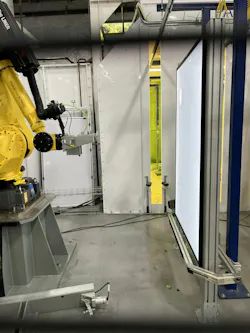
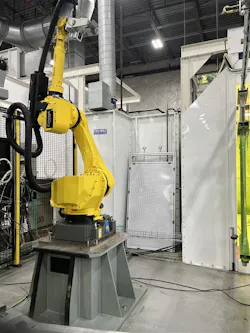
For our part sizes, we used the standard-range setting. Due to the working distance changes between our old and new cameras (shown in the accompanying photos), the new images introduced a dramatic tilt affecting measurement accuracy. Because racks hang from an overhead conveyor, variations in rack angle and conveyor position compounded the issue.
The built-in calibration tool handled both image skew and scale correction. Focus-related calibration options are also available.
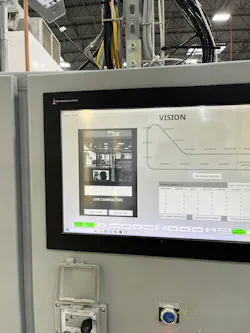
Using edge-detection tools, I identified consistent features in the frame and dynamically located parts based on those measurements. All of this was managed through the Vision Dashboard, which works like a spreadsheet-style environment inside VS Creator. Here, tool parameters can be linked to dashboard cells or other parameters, making it easy to share common variables across multiple tools.
The dashboard can also generate basic visualizations such as pie charts, graphs and other simple analytics for yields, defect rates and similar metrics.
The challenge of exporting images with embedded graphics
Our original intent was to send processed images with graphics showing part boundaries to the customer’s existing Ignition HMI. While adding graphics inside VS Creator was simple, exporting those graphics proved problematic.
Keyence allows FTP to export images in various formats, but when exporting graphics, the system outputs the base image file and a separate .SVG overlays file.
Ignition could not interpret the SVG overlays, meaning it could not display the annotated images. As a workaround, we displayed the camera’s hosted webpage inside the Ignition HMI. An alternative would have been to build all graphical overlays directly in Ignition, but time constraints made that impractical.
The lesson here is to consider how you intend to use images downstream early in the process.
Assessing the vision system upgrade
Overall, the Keyence VS-Series proved to be a strong replacement for the aging custom vision system. The VS Creator platform was intuitive, especially the Vision Dashboard, and simulation tools significantly accelerated development before hardware even arrived. Troubleshooting is now far easier without relying on a compiled VB.NET application, and PLC communication was seamless using Keyence’s provided files.
While the image-export limitations required creative workarounds, the core vision tools, calibration capabilities and programming environment made the integration smooth and maintainable.
Dharma Prime is controls engineer at Concept Systems, certified members of the Control System Integrators Association (CSIA). For more information about Concept Systems, visit its profile on the Industrial Automation Exchange.
About the Author
 Dharma Prime
Dharma Prime
Concept Systems
Dharma Prime is a Senior Controls Engineer with Concept Systems, a certified member of the Control System Integrators Association (CSIA). She’s specializing in industrial automation, robotics and modern HMI development. Her experience includes designing and commissioning visualization systems for manufacturing applications across multiple industries. For more information about Concept Systems, visit its profile on the Industrial Automation Exchange.
 Leaders Logo
Leaders relevant to this article: